Bug report

Hello everyone!

My English isn't perfect, but I wanted to report two issues I've been experiencing.

First, when I use File Explorer inside my OneDrive folder for a few minutes, it starts glitching and eventually crashes. Sometimes I have to restart my PC manually because File Explorer becomes completely unresponsive. Am I the only one experiencing this problem? X(

Second, the software doesn't seem to apply the theme to Windows Live Essentials 2012. How is that possible?! That software was specifically designed to be skinned and styled like Windows 7, so I think it would be great if the theme could also be applied to it.

I'm reporting these issues so they can hopefully be fixed in a future update. Thanks!
322 views 4 replies
Reply #1 Top

Hello,

Sorry to hear you are having issues. Need more details.

  1. Which Stardock software you're having issue with? Also, need its full version number.
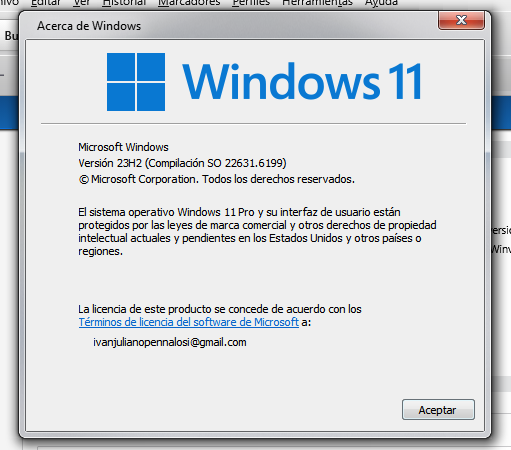
  2. Windows 10/11? Also need its full version and OS Build number. Use Winver.exe.

Thank you,

Basj,

Stardock Community  Assistant.

Reply #3 Top

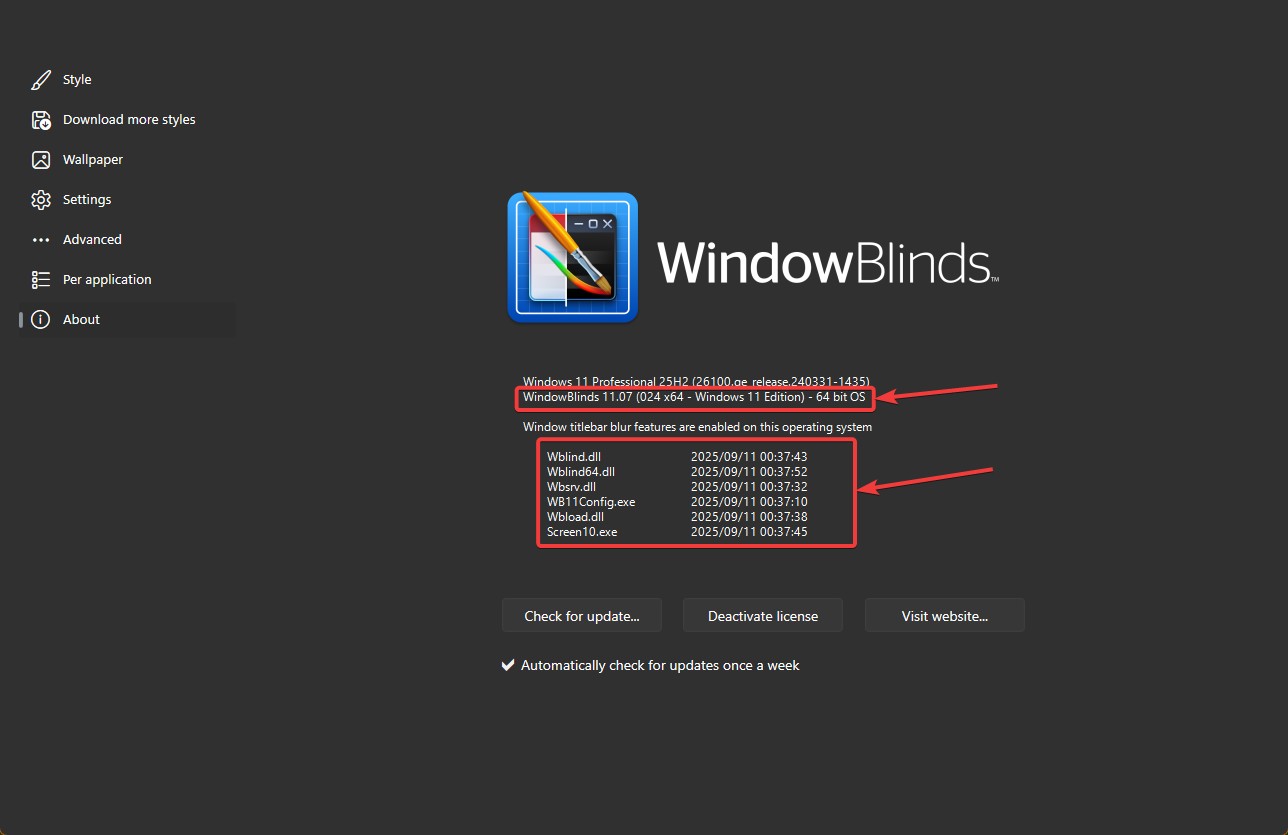
WindowBlinds full version number please. something like screenshot below.

Also, please update your Windows to Windows 11 25H2 and see if the issue still appear.

Thank you,

Basj,

Stardock Community  Assistant


Reply #4 Top

Also, For the File Explorer crashes inside OneDrive, one possible cause is that Windows Live Essentials 2012 included its own legacy OneDrive (SkyDrive) client. If that older sync client is still installed, it can conflict with the modern OneDrive built into Windows 11 and cause Explorer instability. Removing Essentials or disabling the old client usually clears up the crashes. Restarting Explorer (Ctrl+Shift+Esc → end explorer.exe → File → Run new task → type explorer.exe) can also recover it without a full reboot.

As for themes not applying to Windows Live Essentials 2012, that suite was discontinued years ago and isn’t officially supported on Windows 11. WindowBlinds can’t reliably skin those apps. And it’s worth noting that most newer Microsoft Store apps (like Outlook, Photos, and Clipchamp) use the Universal Windows Platform interface, which WindowBlinds doesn’t fully support — so they won’t be skinned either.

So in short: Explorer crashes may be linked to the outdated OneDrive client from Essentials, and theming limitations are due to both Essentials being obsolete and modern Store apps using a UI framework WindowBlinds doesn’t hook into. 

Thank you,

Basj,

Stardock Community  Assistant