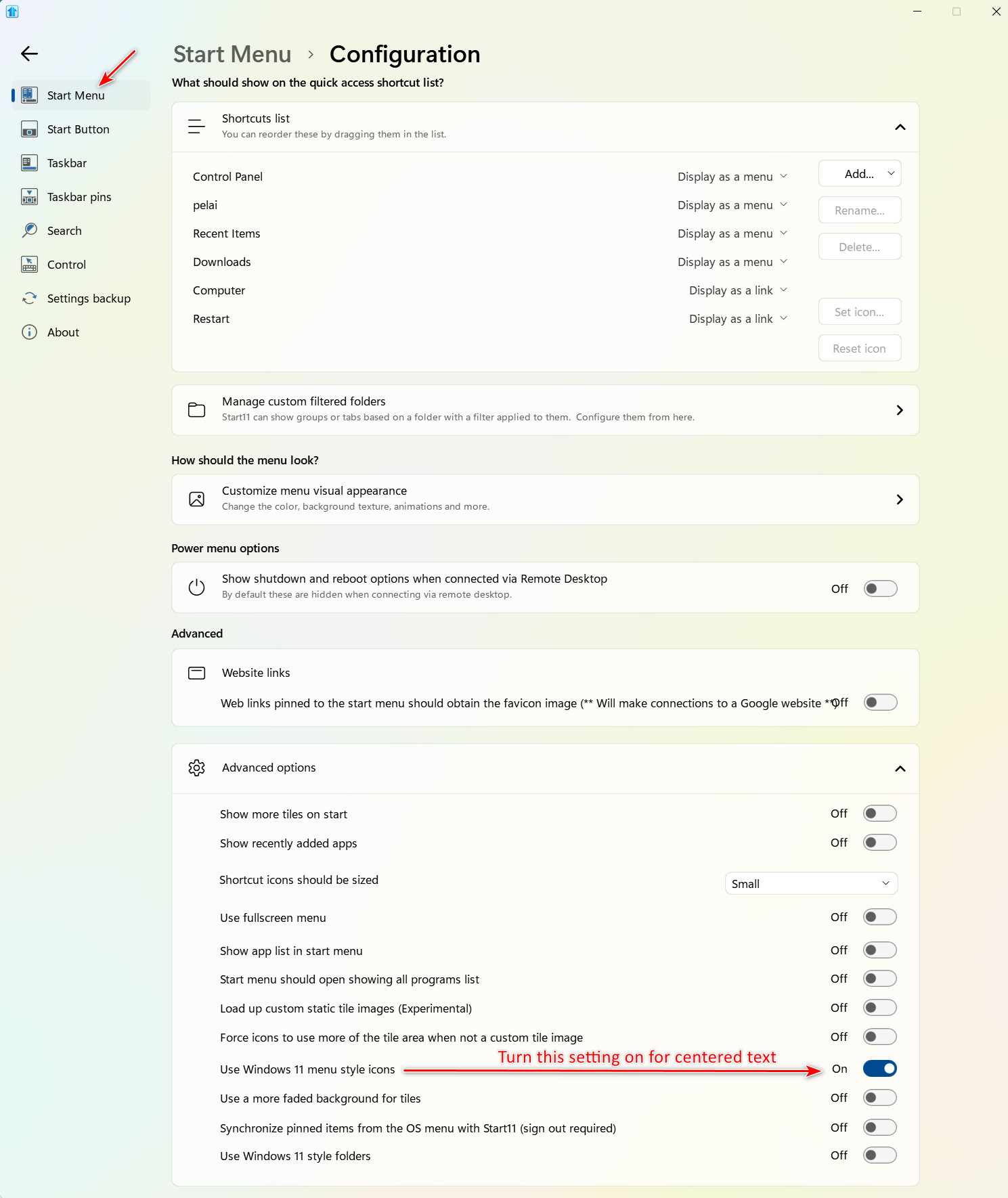
Icon labels centered on one PC, left-aligned on another (Start11 2.74)
from  Stardock Forums
Stardock Forums
Hallo,
I have Start11 2.74 running on two computers. On one, the icon names/labels are centered; on the other, they're left-aligned. I can live with it, but it's not pretty. Does anyone know a way to center the text under the icons? It happens with all icons, whether custom or original. Both machines use the Win10 view. Changing the icon size or the font didn't help either.
Thanks