AltTabby 0.70 Beta Release Feedback
With the AltTabby 0.70 open Beta release today, we are creating this thread so that users can report any observed issues.
Thank you for your interest and any time you put into making AltTabby a better product.
With the AltTabby 0.70 open Beta release today, we are creating this thread so that users can report any observed issues.
Thank you for your interest and any time you put into making AltTabby a better product.
Known issues
While we appreciate all feedback, please remember that we offer no official support for beta \ preview \ developer channel versions of Windows. If you report issues while in any of those early release channels, you should not expect them to be addressed unless it still exists in a retail version of Windows.
This new app is awesome! Thank you.
Looks great, going to use it and see how it goes.
Only comment so far is that installed PWA show up as sub windows of the browser and not their own entry.
Looks great, going to use it and see how it goes.
Only comment so far is that installed PWA show up as sub windows of the browser and not their own entry.
Thanks for the bug report, we will look into why this is the case.
The program has a folder called "Languages". It is possible to edit the translation into your native language, as sometimes there are some inaccuracies in the translation. I hope that this will not be a violation of the copyright of the creators of the program? I believe that any program should have a folder with languages so that the user can choose!
The language files are text files in the Lang folder. The names are the international country code for the language. So fr.lng = french etc.
If you find any errors please do let us know so we can get it corrected.
Make sure if you make any edits that you save as UTF16-LE as UTF8 is not supported but some editors love to try to save it as that (smaller)
I'm pleased to see you bringing us AltTabby. It makes me AltHappy.
In versions of Windows prior to Win10, Using Alt-Tab would show not just the window list but also a "Show Desktop" choice. I really miss that. Yes, in Win10/11 you can add that option at the right side of the Taskbar but I find it awkward to have to reach for my mouse and shove it around to an invisible spot on the screen. I much prefer the Alt-Tab keyboard method. I'm hoping you can add that to AltTabby. Maybe it's there already but I have not yet found it (as of 0.7.0)
Possible coding option: In older Windows there was a shortcut to C:\Users\Default\AppData\Roaming\Microsoft\Internet Explorer\Quick Launch\Shows Desktop.lnk. That is used to show the desktop by calling a function in system32\shell32.dll.
More recently, you can show the desktop by calling explorer.exe shell:::{3080F90D-D7AD-11D9-BD98-0000947B0257}
This looks amazing, especially the tab support. I'm wondering if you would be able to support tabs in Brave Browser as you do in Chrome/Edge?
And add Vivaldi (a Chromium browser) to that list.
This looks amazing, especially the tab support. I'm wondering if you would be able to support tabs in Brave Browser as you do in Chrome/Edge?
It already shows tabs in Brave I think? It doesn't promote the top X to top level windows though so that can be added.
This looks amazing, especially the tab support. I'm wondering if you would be able to support tabs in Brave Browser as you do in Chrome/Edge?
And add Vivaldi (a Chromium browser) to that list.
This is the same as brave, should see tabs from that, but it will not promote them to top level currently.
Thank you for making alt+tab useful again! I haven't used it in 20 years because it wasn't useful or performant, but with this addition, I'm using it once again!
On my PC it takes pressing ALT-TAB twice to see ALT-Tabby. The first press brings up the windows alt-tab display. I am running the latest release of Windows 11.
Version 25H2
Installed on 1/12/2025
OS build 26200.9168
Experience Windows Feature Experience Pack 1000.26100.344.0
On my PC it takes pressing ALT-TAB twice to see ALT-Tabby. The first press brings up the windows alt-tab display. I am running the latest release of Windows 11.
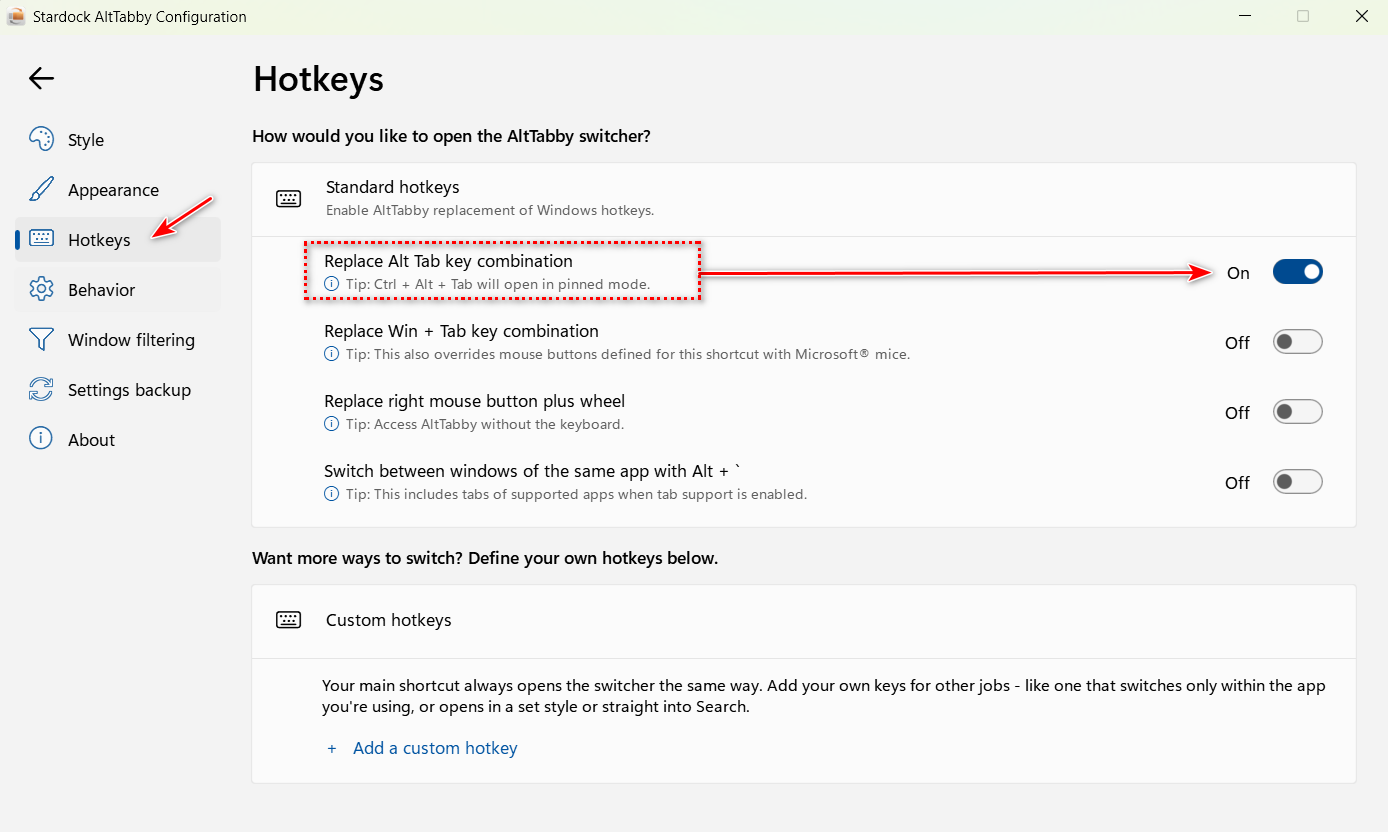
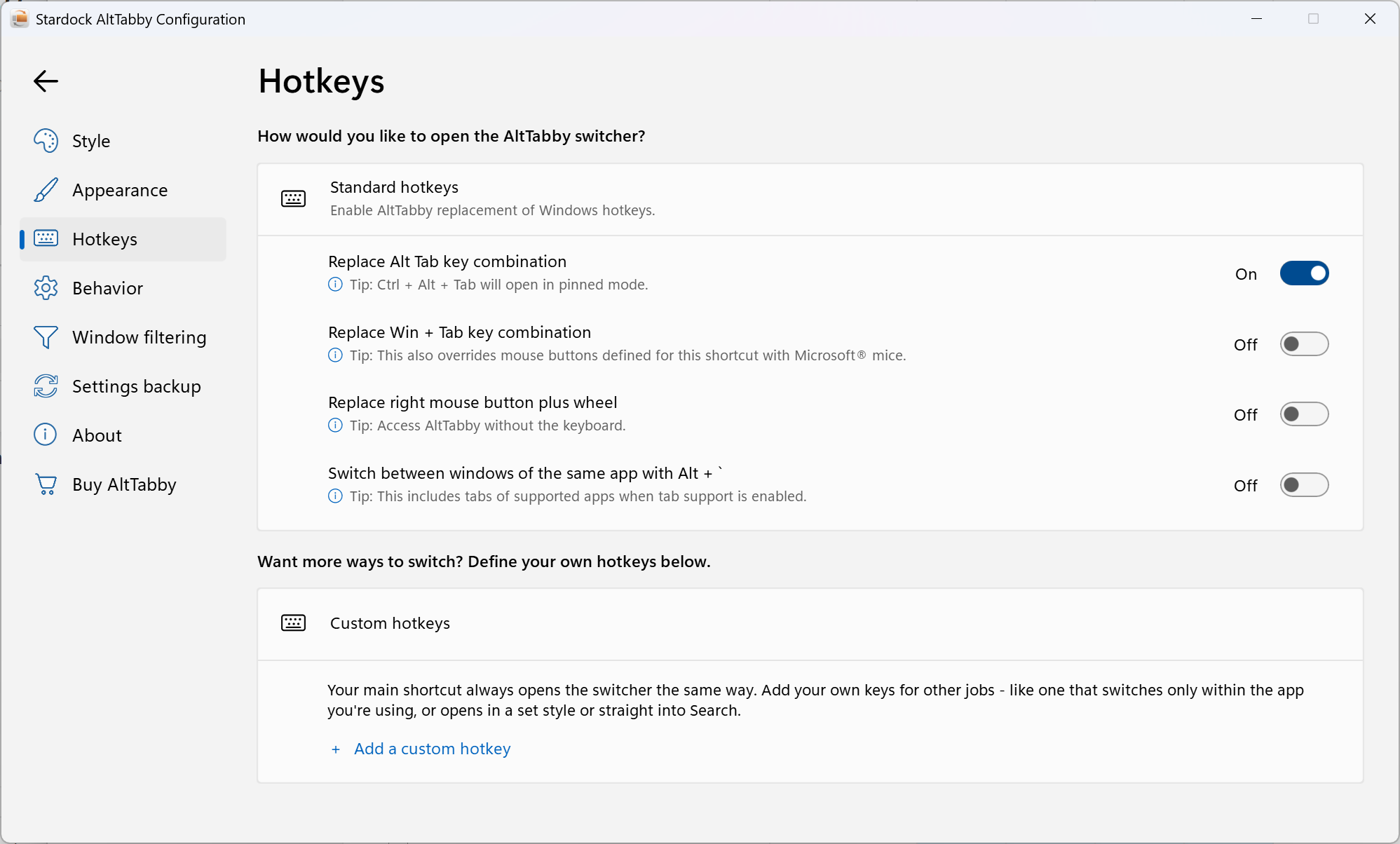
Just checking to be certain you haven't missed this setting.

My Alt+Tab and Win+Tab is completely broken!
I installed Alt-Tabby and configured it.
When I tried to use Alt+Tab, nothing happened.
Rebooted to be sure. Still nothing.
Uninstalled Alt-Tabby. Alt+Tab and Win+Tab still doesn't work.
Reinstalled again. Confirmed settings. Nothing
Disabled the Alt-Tab takeover setting. Nothing
Disabled Alt-Tabby for this user. Nothing.
Used Revo Uninstaller to completely unistall Alt-Tabby. Rebooted
Still nothing. Alt+Tab and Win+Tab do not work. Help, please!
Edition Windows 11 Pro
Version 25H2
Installed on 5/21/2026
OS build 26200.9168
Experience Windows Feature Experience Pack 1000.26100.344.0
Device name BeelinkMiniPC
Processor AMD Ryzen 7 8745HS w/ Radeon 780M Graphics (3.80 GHz)
Installed RAM 32.0 GB (27.8 GB usable)
Graphics card AMD Radeon 780M Graphics (4 GB)
Storage 315 GB of 932 GB used
System type 64-bit operating system, x64-based processor
Pen and touch No pen or touch input is available for this display
My Alt+Tab and Win+Tab is completely broken!
I installed Alt-Tabby and configured it.
When I tried to use Alt+Tab, nothing happened.
Rebooted to be sure. Still nothing.
Uninstalled Alt-Tabby. Alt+Tab and Win+Tab still doesn't work.
Reinstalled again. Confirmed settings. Nothing
Disabled the Alt-Tab takeover setting. Nothing
Disabled Alt-Tabby for this user. Nothing.
Used Revo Uninstaller to completely unistall Alt-Tabby. Rebooted
Still nothing. Alt+Tab and Win+Tab do not work. Help, please!
Edition Windows 11 Pro
Version 25H2
Installed on 5/21/2026
OS build 26200.9168
Experience Windows Feature Experience Pack 1000.26100.344.0
Device name BeelinkMiniPC
Processor AMD Ryzen 7 8745HS w/ Radeon 780M Graphics (3.80 GHz)
Installed RAM 32.0 GB (27.8 GB usable)
Graphics card AMD Radeon 780M Graphics (4 GB)
Storage 315 GB of 932 GB used
System type 64-bit operating system, x64-based processor
Pen and touch No pen or touch input is available for this display
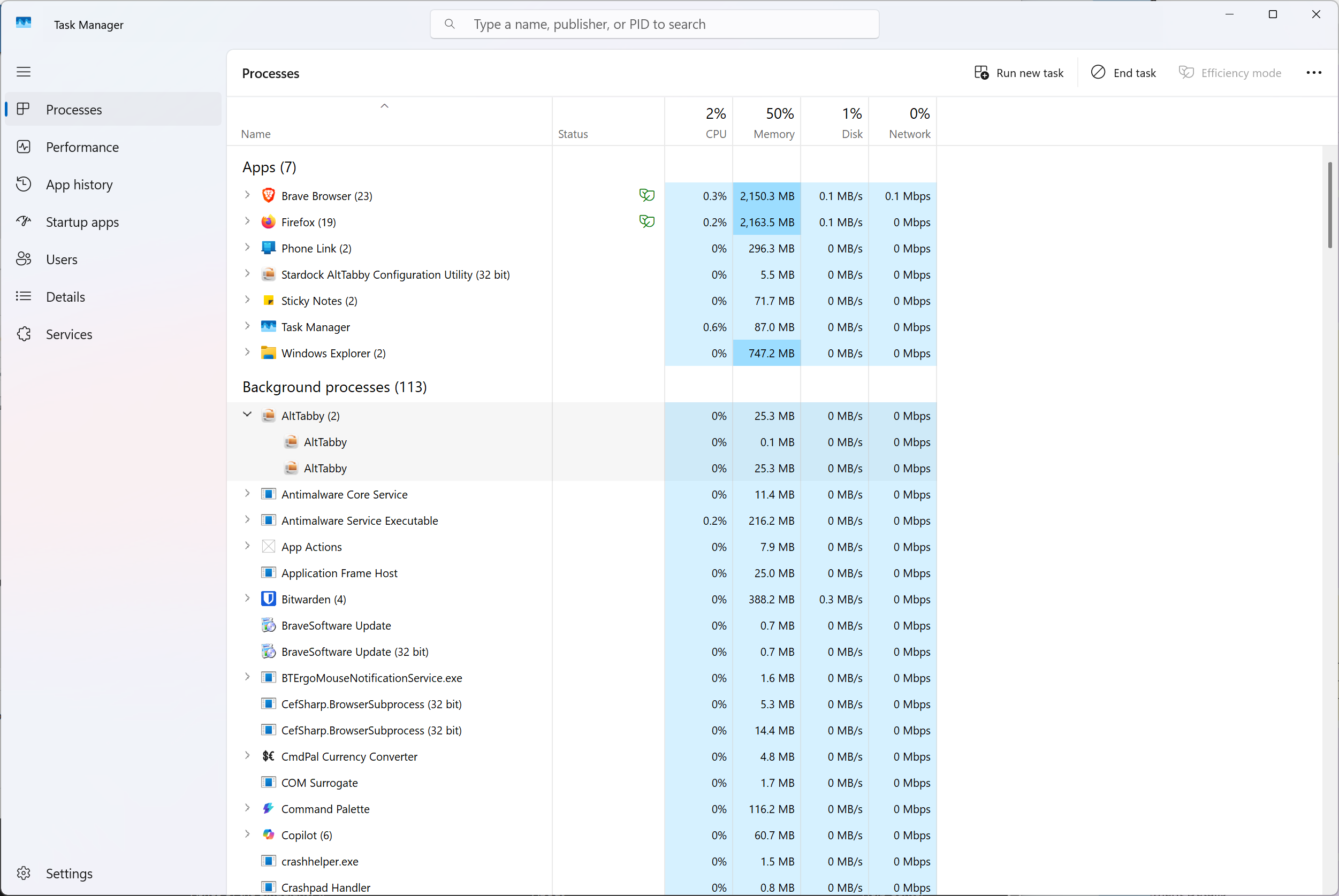
Open Taskmanager and check if any alttabby process is running. Also check if c:\program files(x86)\stardock\alttabby exists and has files in it.
If it is not running it cannot interfere with anything on your PC as it makes no changes to anything outside its own settings.
If you click on the taskbar button for the win+tab switcher (taskview), does anything happen?
Taskview button on taskbar works.
With some help from ChatGPT, I figured this out. Basically, there's some kind of conflict with Start11. Stopping Start11 from Task Manager restored Alt+Tab and Win+Tab functionality.
I then uninstalled Start11 and rebooted. Everything still good.
Reinstalled Start11. Alt+Tab and Win+Tab working still working.
So there's some kind of conflict in the interaction between these two products that caused this issue.
I do have that setting enabled. There is one curious thing I see 2 instances of ALT-Tabby running.

AltTabby works really nice on my system. Full screen carousel looks beautiful!
It even lets me finally switch apps when using Lightroom Classic, which doesn't work with standard Windows Alt+Tab...
One thing I would like to have is an option to hide the system tray icon.
AltTabby works really nice on my system. Full screen carousel looks beautiful!
It even lets me finally switch apps when using Lightroom Classic, which doesn't work with standard Windows Alt+Tab...
One thing I would like to have is an option to hide the system tray icon.
A good point. I will see if we can get that added in the next update.
Welcome Guest! Please take the time to register with us.