Galactic Civilizations II: Free gadgets!

Goodies for your desktop...

Expert skinner, RomanDA has used DesktopX Pro to create 3 Galactic Civilizations II gadgets.  DesktopX Pro is what was used to create the user interface in Galactic Civilizations II. All the screens are in .DXPack format in your \screens directory.  But DesktopX Pro can also export your creations as actual stand-alone programs.

Below is the first set of Galactic Civilizations II gadgets. They're free!  More to come! Have fun!

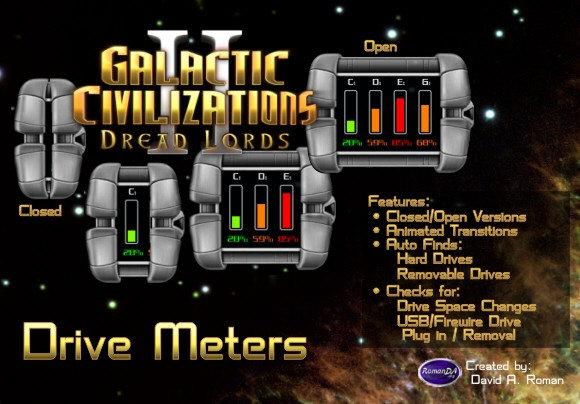
Drive Meters

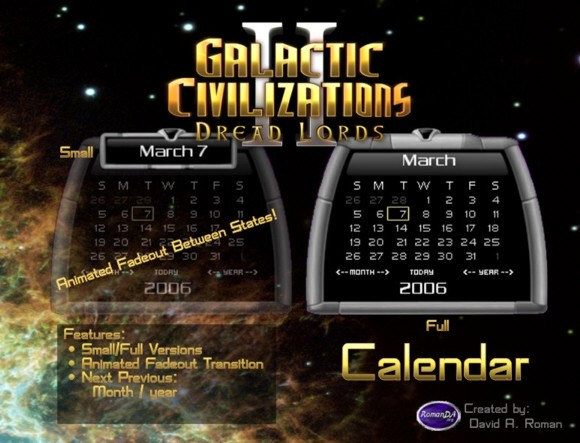
Calendar

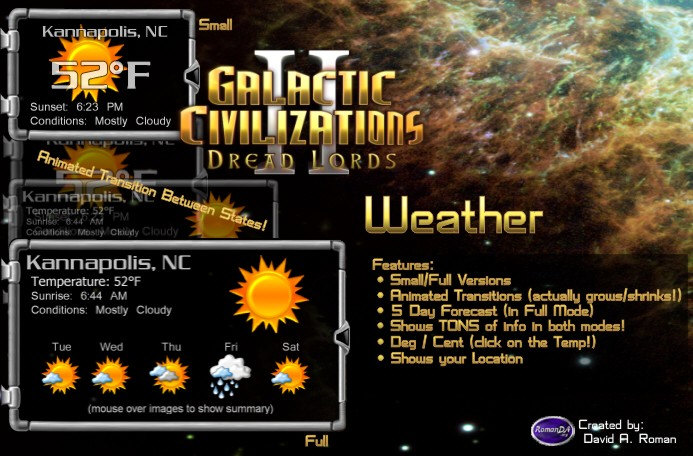
Weather

[Download]

[Download]

[Download]

35,285 views 22 replies
Reply #1 Top
Great job Roman did on these gadgets! I am looking forward to the DX theme he is doing as well.
Reply #2 Top
w()()t!!

Edit: cheer too fast.. files not available for download at this time? Must be insanely popular and not able to DL due to b/w issues ?
Reply #3 Top
Doh! No, not sure why the download button isn't showing up there. Tweaking now.  It shows up on my screen but not for non-admins.  Stand by.
Reply #4 Top
Very nice set of widgets there, My one question is if the weather-o-meter will do weather in New Zealand..


I will definatly check theese out.
Reply #5 Top
Okay, should be fixed.  That'll teach me for putting up something on a weekend. LOL.
Reply #6 Top
Does this mean you will be making a WindowBlinds theme featuring GalCiv2?
Reply #7 Top
Huh. For a minute I thought this was some kind of strange April Fool's joke...
Reply #8 Top
Those are pretty sweet. Too bad i run a quasi-nihilist minimalist destop now
Reply #9 Top
Post the switch! Post the switch!
Given the date and all.

................ Though that probably wouldn't be a very good idea.
Reply #10 Top
Those are pretty sweet. Too bad i run a quasi-nihilist minimalist destop now


Reply #11 Top
shouldnt you guys be puting your time to better use and working on the game? lol j/k

seriously though... this stuff is nice... i've never seen a gaming company come out with something interesting so frequently and at no cost... however small they might seem these little treats keep us even more enthralled in this wonderful game
Reply #12 Top
shouldnt you guys be puting your time to better use and working on the game?


While I know you are kidding, I just thought I would mention that RomanDA is not officially affiliated with Stardock. AFAIK he is a costomer and a damn fine skinner who made these out of the goodness of his heart to share, but without anything from Stardock other than the images (from the media kit) and their support and well wishes.

Great little toys. Been playing with them since the original release.

Does this mean you will be making a WindowBlinds theme featuring GalCiv2?


There already is one. It is the GCII desktop if you bought the Collector's Edition.
Reply #13 Top
The drive meter is pretty cool. Been using that one for over a week. Goes nicely with my Cyclops kinda cylon-style theme....
Reply #14 Top
On my machine the Drive meter keeps accessing my floppy drive. So have removed it .
The idea is ok though. Would changing access order to the drives in the Bios affect/correct this
Reply #15 Top
Huh. For a minute I thought this was some kind of strange April Fool's joke...

Uuh, it isn't? I'm very carefull with that date. I was fooled too often

@Frogboy: What about your fist person shooter like GC game Stardock annouced some time ago? I guess you now have enough 3D engine experience to get this project done
Reply #16 Top
Hey all..

Glad your enjoying the "toys" Got a LOT more on the way.. Keep checking back for more!

Notes:
The weather "should" work world-wide.
The Drive meter was fixed NOT to probe the floppy. (thought i had that working on all the test systems) - Will look into it.
I am not employed by stardock, just love DX and GalCivII !!

Keep checking back, got some REALLY great ones coming!
Reply #17 Top
Yes, they are definitely cool. The disk one was probing my floppy as well. Is it a version issue? I noticed that the version numbers for them don't match what it says the latest version is on the download page.

Keep up the good work,

-HM
Reply #18 Top
These are nice, Roman!

Thanks.

I'm having a problem with the calendar, though. Something I did switched it to a minimal mode that just shows the date. If I click the tab, it dissapears altogether. Can't seem to get back to displaying the whole month.

Even if I can't fix this, these are nice. Sorta makes me want to get some of the skinning tools Stardock sells.

Reply #19 Top
The right version is actually in the "ABOUT" box in each gadget.

I will look at getting the "latest" versions uploaded, im not sure why they floppy is being probed, as i dont recal the gadget version ever having the code from the one that probed the floppy.

As for the calendar, try closing it and reloading it, or even just deleting it and downloading a new one. Its possible that in the back and forth of open/closing it hung and lost the current state. Not sure if there is a way to fix that.
Reply #20 Top
One other small bug I noticed (and no doubt easy to fix): the Drive Meter claims that it's the Calendar in the task bar and in its "About" menu option. So I suspect that the version number listed there (1.5) is the version number of the Calendar, and not the Drive Meter.

-HM
Reply #21 Top
All Gadgets have been updated, might take a little to get them all back up and working..

New ones coming as well!!
Reply #22 Top
Have they been uploaded to the downloads page? It looks like the Calendar and Weather have, but not the Drive Meter.

-HM